Multi-location task management for chains and franchises
Run the same checklists across every site, spot late or missing tasks at a glance, and keep standards consistent from 2 to 100 locations.
- Setup in 2 minutes
- No credit card to start
- One invoice for all sites
- Time zones handled
- Cancel anytime
In one sentence
Multi-location task management is a system to run, track and compare recurring checklists across multiple sites from one dashboard, ensuring every location follows the same operational standards.
Multi-location task management means knowing, at any moment, whether every site in your chain opened on time, cleaned the dining room by noon, and closed properly last night. No more chasing site managers by phone or trusting a spreadsheet that arrives late. Timlup gives operations directors a single dashboard where each location's daily checklists appear with a simple green, amber or red status.
Built for real multi-unit operations, Timlup handles different time zones automatically, lets you duplicate checklists between sites in one click, and sends closing alerts to area managers and franchise owners who don't even need an account. From 2 to 100 locations, you get one invoice, one dashboard, and one standard of task compliance across locations.

Why spreadsheets fail when you have more than one site
When you operate two or three locations, a shared spreadsheet can work. But at five, ten or fifty sites, you lose track. Who opened late today? Which site hasn't closed yet? Which checklist is still pending at 11 pm? You end up calling managers, trusting screenshots, and discovering problems days later.
Each location has its own rhythm: different opening hours, different staff, different time zones. A checklist system that assumes one clock or one team breaks down quickly. You need something that respects each site's reality while giving you a global view.
Timlup replaces the chaos with a simple, visual system. Every location runs the same checklists, employees sign with a PIN, and you see the day's result for all sites in one screen. No more guessing, no more silent failures.
-
No more chasing sites
See every location's checklist status in one dashboard, not scattered across calls and emails.
-
Stop spreadsheet errors
Employees sign with PIN on the tablet; you get reliable data, not manual copy-paste.
-
One standard everywhere
Duplicate the same checklist across sites so every location follows the same steps.
Everything you need to run every location from one dashboard
Timlup is a recurring task checklist system. Employees sign with PIN from the site's tablet or phone. You get visibility, control and comparison across all your sites.
One dashboard for all sites
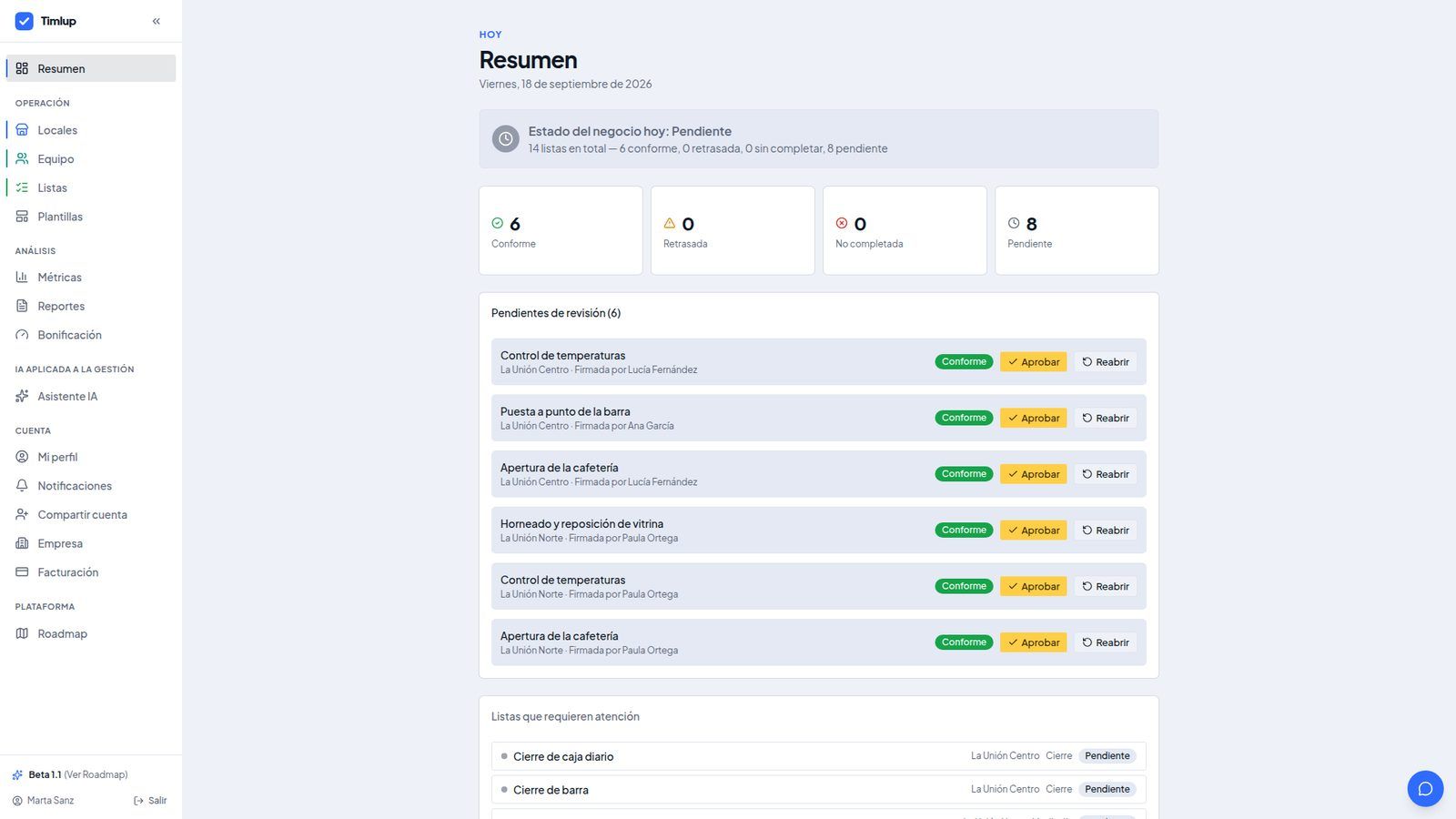
The manager panel shows a day summary with a traffic light per checklist and per location: on time, late or not completed. Pick a site or see the whole operation in one screen, without calling anyone.
Each site has its own time zone
When you create a location, its time zone is detected automatically and you can change it. Daily lists are generated at midnight in each site's local time, so a location in Madrid and one in Mexico City never mix.
Duplicate lists between sites
Copy a checklist to another location in one click. The copy arrives as a draft, inactive, and tries to match shifts, areas, assigned employees and tags. If something doesn't fit, you're told to adjust it manually. Nothing is lost in silence.
PIN per employee, QR per site
Each employee gets a 4-digit PIN. Each site has a worker portal link with a QR code you can leave open on the tablet. Optionally, a GPS point checks the signature happens within 250 m of the location.
Compare metrics by location
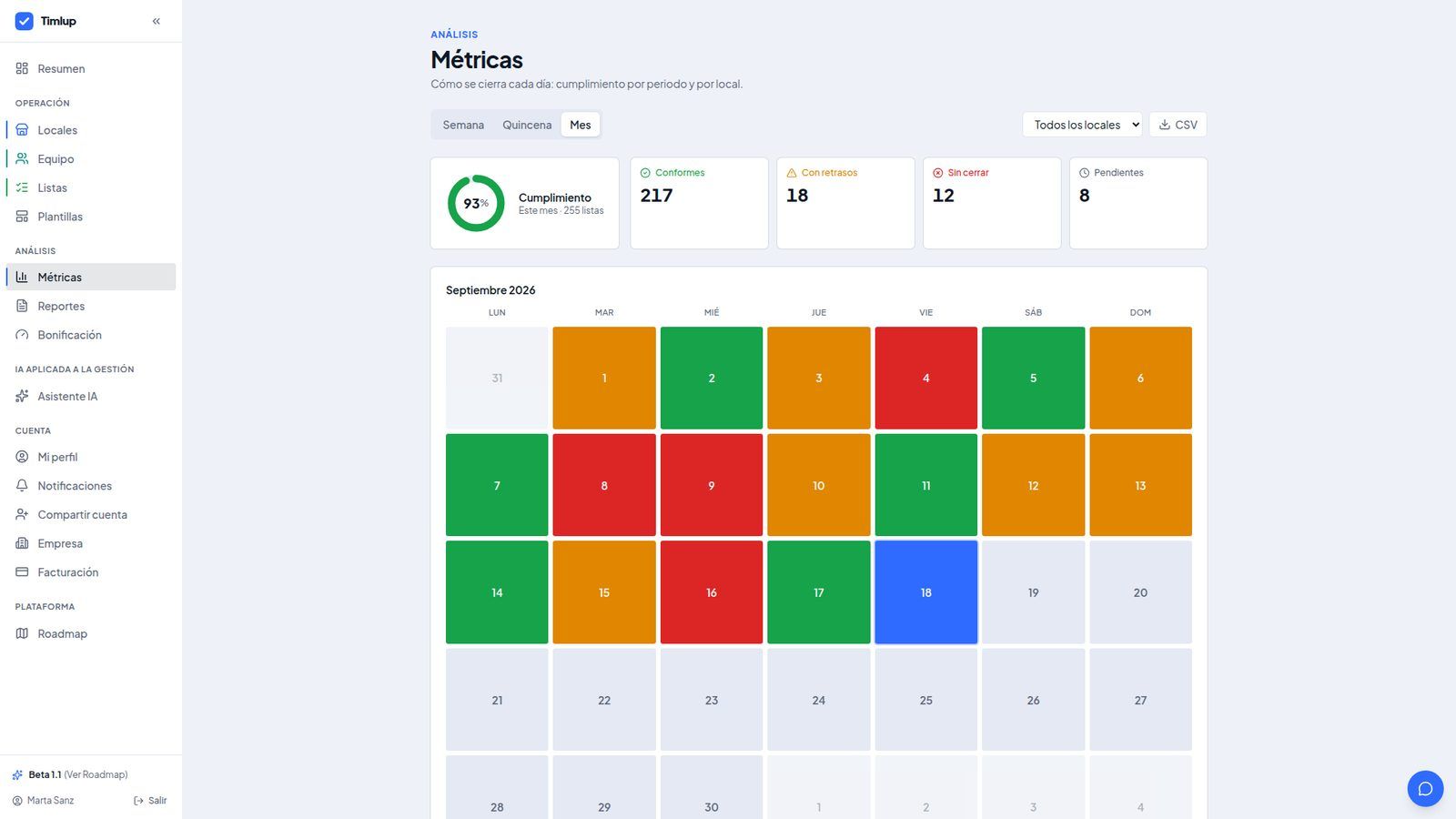
See compliance metrics per period and per site, with a heat calendar of the last 92 days and a ranking by location. Export the aggregated summary to CSV. Know which site is slipping before it becomes a problem.
Alerts to managers without an account
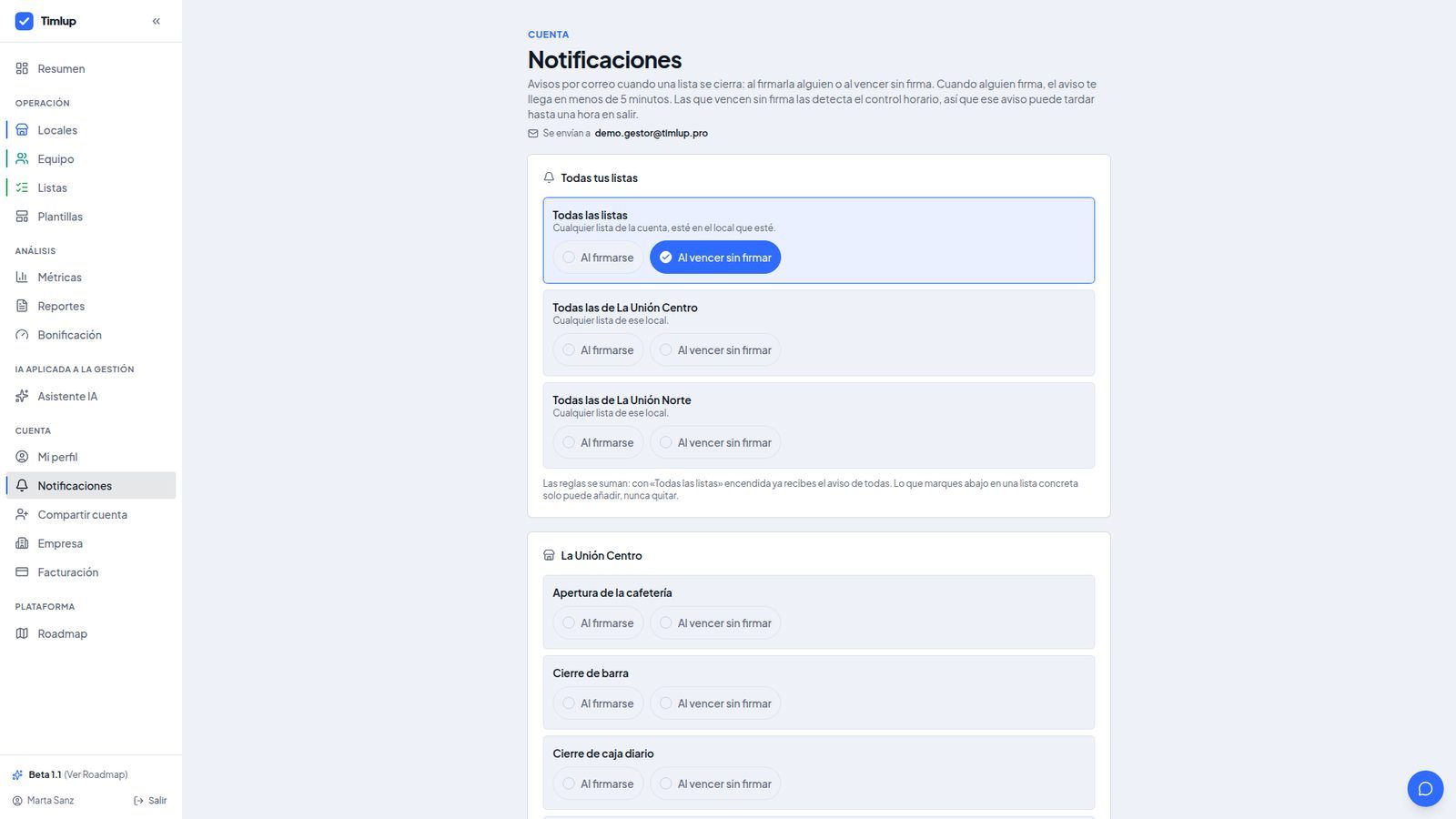
When a checklist closes, send alerts to area managers, franchise owners or site owners. They don't need a Timlup account. One-click unsubscribe. Pro includes 10 alert emails, Advanced unlimited.
A morning view across three locations
Three fictional sites of the same café brand, each with its opening, midday and closing slots. An example, not a real client: names and times are illustrative.
Here is what a manager sees at 14:30. The table shows each site's status for the opening checklist (due at 07:30), the dining room cleaning (due at 12:00, already past its 45-minute margin) and the closing checklist (due at 22:30, still ahead).
| Site | Opening 07:30 | Dining room cleaning 12:00 | Closing 22:30 | Day result |
|---|---|---|---|---|
| Downtown | On time · 07:38 | On time · 12:05 | Pending | All in order |
| Northside | On time · 07:45 | Late · 12:20 | Pending | One late list |
| Station | On time · 07:30 | Not completed | Pending | Needs attention |
On time: the checklist was sent within its slot. Late: sent within the delay margin. Not completed: the margin ran out with no signature and the list closed itself. Pending: still within its slot.
What you do with it the next morning
The next morning, the operations director opens the daily summary email, sees that Northside cleaned late and Station never signed the cleaning list, and calls both site managers before 9 am. Then decides whether that slot needs an extra pair of hands or a later deadline. No spreadsheets, no surprises.
A clear view of your entire operation
Three screens that show how multi-location task management works in practice.
From zero to multi-location control in 5 steps
No implementation project, no consultants. Just set up your sites and go.
Create your locations
Add each site with its name, optional address, opening hours, time slots and areas. The time zone is detected automatically and you can adjust it. You can add up to 100 locations.
Pick templates from the catalog
Choose from 109 templates by sector, role and area. Adjust them to your standards: opening, cleaning, maintenance, restocking, measurements. Each template is a starting point, not a cage.
Duplicate lists across sites
Copy a checklist from one location to another in one click. The copy is a draft, inactive, and tries to match shifts, areas and employees. If something doesn't fit, you're told to adjust it manually.
Give PINs and leave the QR
Assign a 4-digit PIN to each employee. Print the QR code for the worker portal and leave it on the tablet. Employees sign with their PIN, optionally with a photo or a measurement.
Follow the panel and daily summary
Check the day summary with traffic lights per site, compare metrics by location, and receive the daily email grouped by site. Export reports to CSV when you need to share them.
Multi-location starts at €29 per site per month
The Free and Essential plans cover 1 location. Multi-location requires the Pro or Advanced plan.
| Feature | Free Free · forever | Essential €19 / month | Pro €29 / site · month ★ Recommended | Advanced €49 / site · month |
|---|---|---|---|---|
| Sites | 1 | 1 | Per site | Per site |
| Active checklists | 5 | 50 | Unlimited | Unlimited |
| PIN employees | 2 | 15 | Unlimited | Unlimited |
| Duplicate checklists across sites | — | — | ||
| Comparison across sites | — | — | ||
| Alerts to emails without an account | — | 3 | 10 | Unlimited |
| Daily email summary | ||||
| History | 7 days | 1 year | 1 year | Unlimited |
| 1-on-1 onboarding to set up your checklists | — | With annual plan | With annual plan | Included |
Prices per site per month, excluding VAT. Stripe adds the tax of each country (21% in Spain; outside the EU, no tax). Annual plan: you pay 10 months of 12. No commitment. One single invoice for the whole account, from 1 to 100 locations.
Built for chains, groups and franchises
If you run more than one site and need the same standards everywhere, Timlup fits.
New to Timlup? Set up your first site in minutes
The getting-started guide walks you through creating a location, adding employees with their PINs and publishing your first checklist. Once the first site runs, duplicating its lists to the next one is a click.

John Guerrero
Founder of Timlup · Founder of ChefBusiness
15+ years working on business operations and process digitisation. Behind Timlup, ChefBusiness and AI Chef Pro. These guides capture the daily-control procedures I see working in operations-heavy businesses across Spain.
Multi-location task management, explained
Answers to the questions operations directors ask us most.
How many locations can I manage with Timlup?
How does billing work for multiple sites?
Can I manage locations in different time zones?
How do I copy a checklist from one site to another?
Does an area manager or franchise owner need an account to receive alerts?
Can I compare compliance across locations and export reports?
What happens if I open or close a location?
Can I use Timlup for different sectors within the same group?
Take control of every location today
Start free, add your first location in 2 minutes. When you're ready for the second, upgrade to Pro.
Already using Timlup for one site? Add your second location and upgrade from the panel.