

✨ Early Bird 40% off your first 3 months with code · 40% off · 3 months · EARLYBIRD
Task list · Dental clinics

Task list for dental clinics — sterilisation and disinfection signed with a PIN

Organise surgery opening, disinfection between patients, the instrument sterilisation cycle, expiry and waste control, and daily closing. Each task is signed with a PIN and logged with date and time. No paper or extra apps needed.

No app to install Free plan forever Signed and dated records

42,860

Registered dentists in Spain in 2024

Consejo General de Dentistas de España (2024)

22,591

Private dental clinics in Spain

Registro General de Centros, Servicios y Establecimientos Sanitarios · Ministerio de Sanidad

€1,200 M

Spanish dental industry revenue in 2024

Fenin (Spanish Health Technology Companies Federation)

€12,000 M

Spanish households spent on dental care

Fenin · iSanidad (2024)

Example list

The tasks a dental clinic repeats every day

A real day, divided by blocks. What you see below is the basis of your lists — and the exact workflow you automate with Timlup.

Opening and preparation of surgeries

08:30–09:00
  1. 1 Turn on equipment, chairs and compressor 5 min
  2. 2 Purge hoses and check suction 6 min
  3. 3 Replace barriers and disposables in each surgery 8 min
  4. 4 Check autoclave and distilled water 5 min
  5. 5 Check reception and waiting room 4 min

Disinfection between patients

each patient
  1. 1 Remove and discard barriers from the surgery 2 min
  2. 2 Disinfect surfaces, chair and lamp 4 min
  3. 3 Place clean barriers and new disposables 3 min
  4. 4 Collect used instruments for sterilisation 2 min

Instrument sterilisation cycle

several times a day
  1. 1 Clean and dry the used instruments 8 min
  2. 2 Package and seal the bags 6 min
  3. 3 Load the autoclave and start the cycle 5 min
  4. 4 Record the cycle and check the indicator 4 min

Stock and expiry control

weekly
  1. 1 Check expiry dates of materials and medications 10 min
  2. 2 Restock gloves, barriers and disposables 8 min
  3. 3 Check sterilisation bags and consumables 6 min

Closure and clinical waste

20:00–20:30
  1. 1 Final disinfection of surgeries and surfaces 10 min
  2. 2 Manage sharps and clinical/biological waste 6 min
  3. 3 Unload the autoclave and prepare for the next day 5 min
  4. 4 Turn off equipment and compressor 4 min
  5. 5 Check reception and sign off the closure 3 min
The change

From paper logs to tablet control

Say goodbye to notebooks and loose sheets. Now every task is logged with the digital signature of the professional who performed it.

Without Timlup
  • Paper records

    Daily logs pile up in binders. It's easy to skip a step or fill in hastily, and when an incident occurs, it's nearly impossible to know who did it.

  • Lack of traceability

    Who disinfected the surgery at 10? Was the morning autoclave cycle done? Without a digital record, answers get lost in memory or illegible papers.

  • Time wasted on supervision

    The coordinator has to manually check each log, sign, and file. A tedious process that takes time away from patient care.

From paper records to the Timlup app, signed with a PIN
With Timlup
  • Digital checklists with PIN

    Each professional accesses their task list from the tablet. When completing a step, they sign with their personal PIN, leaving an unequivocal record of the action.

  • Full traceability

    Every disinfection, every sterilisation cycle, every barrier change is logged with date, time, and responsible person. You can check the history instantly.

  • Agile supervision

    The clinic manager reviews compliance in real time, without paper. Receives alerts if any task is skipped, and everything is audited for inspections.

For the clinic team

That simple on their phone or the reception tablet

Access from any device. Follow the checklist step by step.

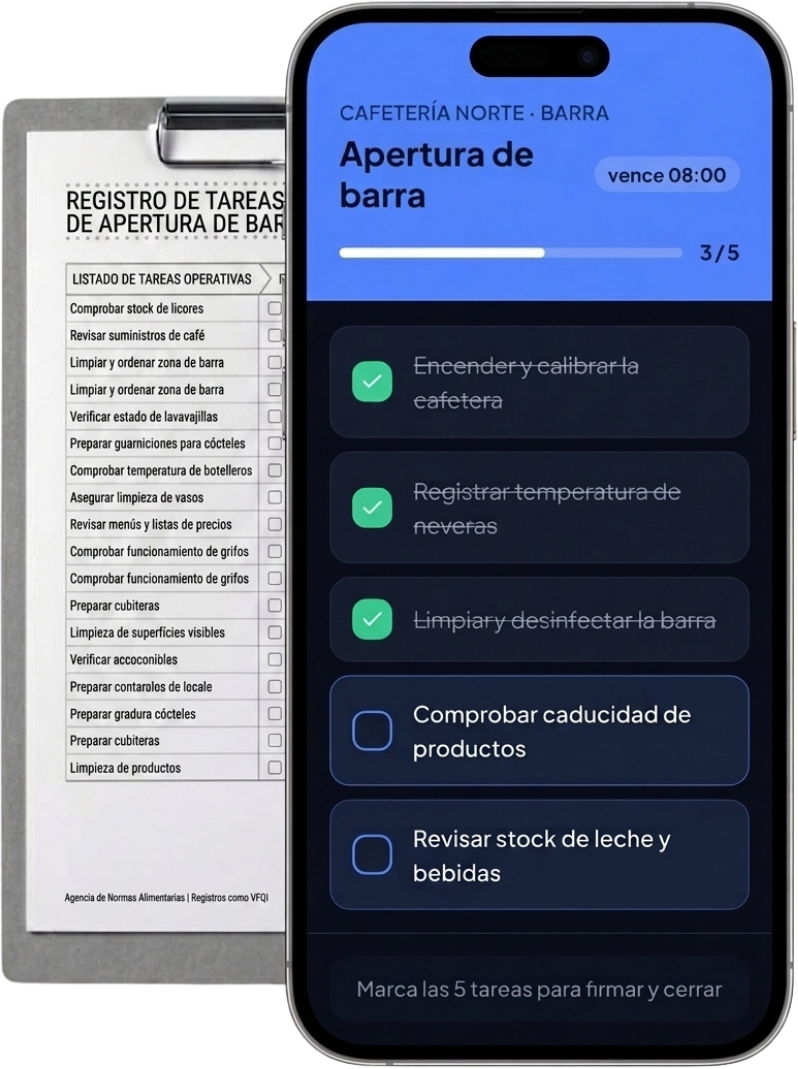
Centre Dental Clinic · Surgery 1

Opening of surgeries

due 09:00
3 / 5
  • Turn on equipment, chair and compressor
  • Purge hoses and check suction
  • Replace barriers and disposables in the bay
  • Check autoclave and log the cycle
  • Check reception and waiting room
Mark all 5 tasks to sign and close
Features

Everything your dental clinic needs, without the paper

Organise daily opening, disinfection between patients and sterilisation tasks without the hassle.

Guided Opening and Closing

Follow the opening checklist step by step. At closing, verify everything is ready for the next day.

Signed Hygiene Control

Record disinfection between patients with time and staff member. Sterilisation is signed off and traceable.

PIN Access

Every team member has their own personal PIN. Tasks are signed off securely and simply.

Recurring Tasks

Schedule disinfection per patient, sterilisation per cycle, and expiry checks. They repeat automatically.

Templates per Surgery and Area

Create specific checklists for each surgery, reception or sterilisation area. Duplicate and adapt in seconds.

Tablet or Mobile in the Clinic

Use any device without installing anything. Ideal for the reception tablet or the team's mobile.

In the Clinic

A day in the life of a dental clinic, in pictures

From opening to closing: every task signed off from the tablet.

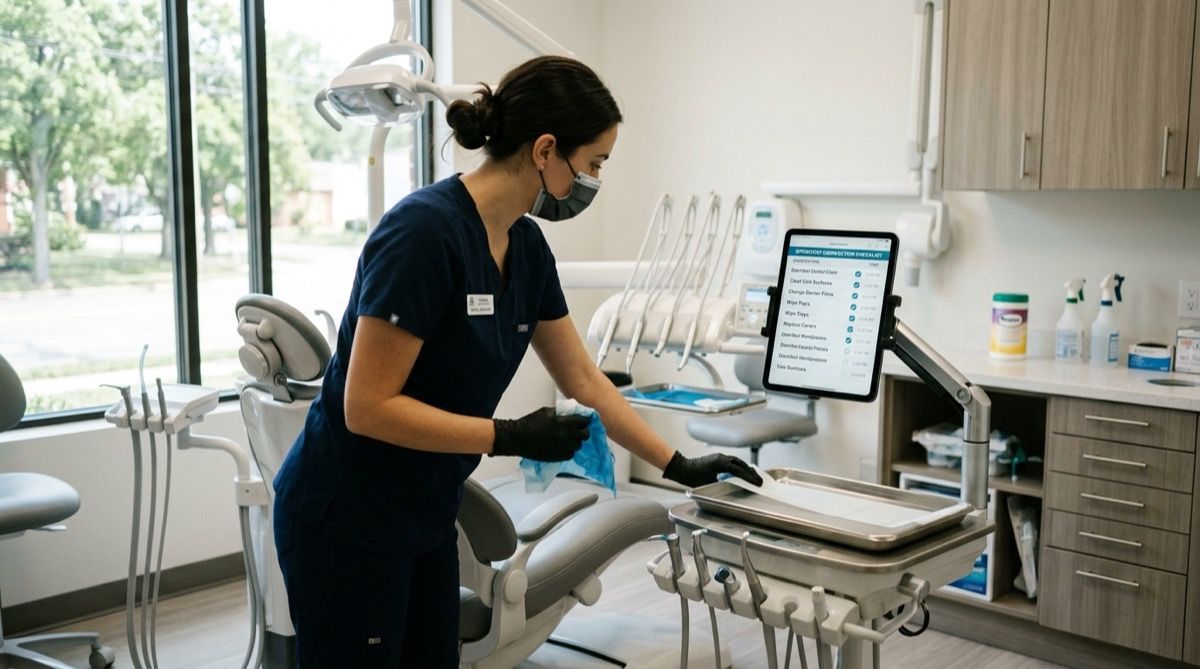
Dental nurse disinfecting surgery surfaces and changing barriers while marking the task on a tablet.
Surgery disinfection and barrier changes between patients are marked and signed off with a PIN, no paper reports.
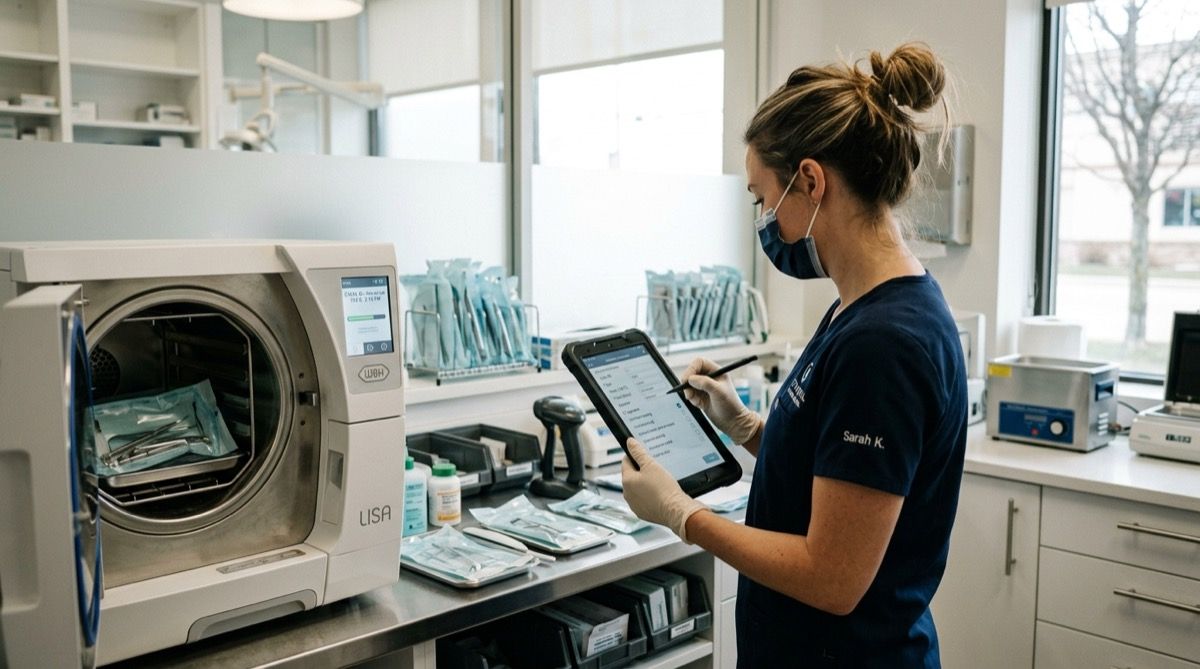
Dental nurse recording the instrument sterilisation cycle in the autoclave with a task tablet in hand.
The instrument sterilisation cycle, recorded per cycle with date, time and staff member.
Receptionist checking stock and expiry dates of materials at the clinic reception with a task tablet.
Stock control and material expiry dates, signed off and traceable from reception.
How It Works

Your dental clinic digitalised in an afternoon

No installations or training needed. It works on the reception tablet or the team's mobile.

1

Create your clinic checklists

Define your clinic's recurring tasks: surgery opening, disinfection between patients, sterilisation, stock control and closing with clinical waste. Adapt them to your protocols in minutes from the Timlup dashboard.

2

The team completes them during the day

Dental nurses and hygienists mark each task from their mobile or the reception tablet. Every action is recorded with their PIN and the exact time, no paper or loose sheets.

3

Review the day from the dashboard

Access a traffic-light summary: green if everything is done, red if something is missing. See who signed off each task and download the daily report for audits or team meetings.

What they say

Dental clinics that ditched paper logs

Real stories from teams who saved time and gained peace of mind with Timlup.

Sarah Williams

Sarah Williams

Dentist · Dental clinic (London)

“Before, every disinfection between patients relied on the memory of whoever was on shift. With Timlup, we sign off each step with a PIN, and I know no routine is skipped. Full traceability, no lost paperwork.”


Olivia Brown

Olivia Brown

Dental nurse · (Bristol)

“Keeping track of material expiry dates was chaos until we started using Timlup. Now I get an alert when something is about to expire and I sign it off when I remove it. Simple and effective.”

James Anderson

James Anderson

Practice owner & dentist · Dental clinic (Birmingham)

“Implementing Timlup was a game-changer for clinical waste management. Every disposal is signed and dated, which gives me huge peace of mind. Plus, the team feels more accountable.”

Sarah Williams

Sarah Williams

Dentist · Dental clinic (London)

“Before, every disinfection between patients relied on the memory of whoever was on shift. With Timlup, we sign off each step with a PIN, and I know no routine is skipped. Full traceability, no lost paperwork.”

Olivia Brown

Olivia Brown

Dental nurse · (Bristol)

“Keeping track of material expiry dates was chaos until we started using Timlup. Now I get an alert when something is about to expire and I sign it off when I remove it. Simple and effective.”

James Anderson

James Anderson

Practice owner & dentist · Dental clinic (Birmingham)

“Implementing Timlup was a game-changer for clinical waste management. Every disposal is signed and dated, which gives me huge peace of mind. Plus, the team feels more accountable.”

Sarah Williams

Sarah Williams

Dentist · Dental clinic (London)

“Before, every disinfection between patients relied on the memory of whoever was on shift. With Timlup, we sign off each step with a PIN, and I know no routine is skipped. Full traceability, no lost paperwork.”

Olivia Brown

Olivia Brown

Dental nurse · (Bristol)

“Keeping track of material expiry dates was chaos until we started using Timlup. Now I get an alert when something is about to expire and I sign it off when I remove it. Simple and effective.”

James Anderson

James Anderson

Practice owner & dentist · Dental clinic (Birmingham)

“Implementing Timlup was a game-changer for clinical waste management. Every disposal is signed and dated, which gives me huge peace of mind. Plus, the team feels more accountable.”

Jessica Taylor

Jessica Taylor

Coordinator · Dental clinic (Manchester)

“What I value most is that the team no longer argues over who did what in the sterilisation cycle. Every instrument is logged with its digital signature. Accountability has improved massively.”

Emma Wilson

Emma Wilson

Dental hygienist · Dental clinic (Leeds)

“The clinic's opening and closing procedures are much more organised. Every task, from switching on equipment to checking clinical waste, is logged with my PIN. I no longer have to rely on paper checklists.”

Charlotte Davies

Charlotte Davies

Coordinator · Dental clinic (Glasgow)

“The best part is that routines repeat automatically: Timlup reminds me when each task is due and I just need to sign off. We've reduced errors and the team is more aligned. Highly recommended.”

Jessica Taylor

Jessica Taylor

Coordinator · Dental clinic (Manchester)

“What I value most is that the team no longer argues over who did what in the sterilisation cycle. Every instrument is logged with its digital signature. Accountability has improved massively.”

Emma Wilson

Emma Wilson

Dental hygienist · Dental clinic (Leeds)

“The clinic's opening and closing procedures are much more organised. Every task, from switching on equipment to checking clinical waste, is logged with my PIN. I no longer have to rely on paper checklists.”

Charlotte Davies

Charlotte Davies

Coordinator · Dental clinic (Glasgow)

“The best part is that routines repeat automatically: Timlup reminds me when each task is due and I just need to sign off. We've reduced errors and the team is more aligned. Highly recommended.”

Jessica Taylor

Jessica Taylor

Coordinator · Dental clinic (Manchester)

“What I value most is that the team no longer argues over who did what in the sterilisation cycle. Every instrument is logged with its digital signature. Accountability has improved massively.”

Emma Wilson

Emma Wilson

Dental hygienist · Dental clinic (Leeds)

“The clinic's opening and closing procedures are much more organised. Every task, from switching on equipment to checking clinical waste, is logged with my PIN. I no longer have to rely on paper checklists.”

Charlotte Davies

Charlotte Davies

Coordinator · Dental clinic (Glasgow)

“The best part is that routines repeat automatically: Timlup reminds me when each task is due and I just need to sign off. We've reduced errors and the team is more aligned. Highly recommended.”

FAQ

Frequently asked questions for dental clinics

We answer the most common questions about how Timlup helps your dental clinic record and track daily tasks.

What type of dental clinics is Timlup suitable for?
Timlup is designed for any dental clinic, from small practices to large dental centres. It helps record and track recurring cleaning, disinfection, sterilisation and opening/closing tasks. It can be used in treatment surgeries, operating theatres, sterilisation areas and common zones. No matter the size or team, Timlup adapts to your routines. All you need is a web browser.
How do I record disinfection of surgeries between patients?
Create a checklist per surgery with the disinfection steps (changing barriers, cleaning surfaces, etc.). Once completed, the responsible person signs with their PIN, leaving a record of the task. You can optionally add a photo of the final state. The record is dated and signed, visible to the whole team. This ensures each surgery is disinfected correctly before the next patient.
How do I record the instrument sterilisation cycle?
Design a checklist that covers from cleaning and packaging to loading the autoclave and recording the cycle. Each step is marked as completed and signed with a PIN. You can photograph the chemical or biological indicator to attach to the record. A record is kept of who performed each stage and when. This facilitates traceability of the process, although it does not replace certified autoclave validation.
Does Timlup validate sterilisation or replace my health protocols?
No. Timlup is a recording and traceability tool, not a certified sterilisation validation system. It allows you to document that the steps of your protocol have been followed (who, what, when and with what signature), but it does not certify the effectiveness of the sterilisation process. Validation of sterilisation depends on your autoclave, chemical/biological indicators and official health regulations. Timlup does not replace your clinic's infection prevention protocols or applicable regulations. It is a support tool for routine management, not a substitute for clinical supervision.
Can I control stock and expiry dates of materials?
Yes, you can create stock and expiry date review lists for materials such as anaesthetics, gloves or dressings. When scanning or reviewing batches, you mark their status and expiry date. Timlup alerts you when a batch is close to expiry. You can attach photos of packaging. Everything is recorded with date and signature, helping maintain inventory control without needing specific management software.
Does Timlup manage patients, appointments or clinical records?
No. Timlup is not clinical or patient management software. It does not manage appointments, medical records, billing or patient data. Its sole function is to record recurring operational tasks for the team: cleaning, disinfection, sterilisation, opening and closing, expiry date control, etc. For patient management you will need a specific dental clinical history system.
Do I need to install an app or buy new tablets?
You don't need to install any app. Timlup runs directly in the web browser of any device: tablet, phone or computer. You can reuse the tablets or phones you already have in the clinic. Only an internet connection is needed. No downloads or special configurations required. This reduces costs and you can start using it immediately.
John Guerrero
Editor

John Guerrero

Founder of Timlup · Founder of ChefBusiness

15+ years working on business operations and process digitisation. Behind Timlup, ChefBusiness and AI Chef Pro. These guides capture the daily-control procedures I see working in operations-heavy businesses across Spain.

Go Deeper

Your clinic's checklists, area by area

Organise the daily routines for each zone with custom checklists, signed off with a PIN.

Surgery Opening · soon

Switch on equipment, check water levels and disinfect work surfaces before the first patient.

Disinfection Between Patients · soon

Clean and change barriers on the chair, reposition instruments and air the surgery in under 5 minutes.

Instrument Sterilisation · soon

Record cleaning, packaging, autoclave loading and cycle validation, all signed off with a PIN.

Expiry Date Control · soon

Check dates on anaesthetics, sealants and sterile materials; remove expired items with a record of who did it.

Closing and Clinical Waste · soon

Switch off equipment, collect sharps and biological waste, and sign off the end-of-day report.

Start with your dental clinic today

No card required. Free plan forever.