
✨ Early Bird 40% off your first 3 months with code · 40% off · 3 months · EARLYBIRD
Task list · Burger restaurants

Task list for burger restaurants — griddle, fryer and temperatures with PIN

Digital checklist for your burger restaurant: opening, griddle and fryer, cold room temperatures, meat doneness, closing. No papers or apps; every task signed, dated and at hand, from your mobile or kitchen tablet.

No app to install Free plan forever Signed and dated records

€3.7B

revenue of burger restaurants in Spain in 2025

Informa DBK

61%

of the fast food market belongs to burger restaurants

Informa DBK

1 / week

half of Spaniards eat a burger each week

Ipsos for Just Eat

≥71 °C

minimum internal temperature of minced meat

AESAN (cooking guidelines)

Example list

The tasks a burger restaurant repeats every day

A real day, split into blocks. What you see below is the base of your lists — and the exact flow you automate with Timlup.

Opening and mise en place

11:00–12:00
  1. 1 Turn on the griddle and wait for working temperature 10 min
  2. 2 Record cold room (0-4 °C) and freezer (-18 °C) temperatures 3 min
  3. 3 Filter the fryer oil and assess if it needs changing 5 min
  4. 4 Mise en place: chop vegetables, portion meat, prepare sauces 25 min
  5. 5 Restock buns, cheeses and delivery packaging 7 min

During service

12:00–16:00 / 20:00–00:00
  1. 1 Scrape and clean the griddle between batches 2 min
  2. 2 Check minced meat doneness (internal ≥71 °C, never rare) 1 min
  3. 3 Replenish line (vegetables, sauces, buns) between peaks 5 min
  4. 4 Clean delivery packaging area 3 min
  5. 5 Log any incidents 2 min

Shift handover

16:00–17:00
  1. 1 Review griddle and utensils 5 min
  2. 2 Check fryer oil levels 2 min
  3. 3 Count stock of meat and buns for the evening 5 min
  4. 4 Tidy tables, trays and dining area 5 min
  5. 5 Leave note for the night shift 2 min

Closing

00:00–00:45
  1. 1 Turn off and scrape the griddle thoroughly 7 min
  2. 2 Filter the oil and cover the fryer (change ~2 times/week depending on volume) 5 min
  3. 3 Store labelled products in cold rooms and record temperatures 5 min
  4. 4 Clean hood, filters and kitchen floors 10 min
  5. 5 Take out waste and used oil to the appropriate container 3 min
  6. 6 Till reconciliation and lock-up (alarm and keys) 5 min
The change

From greasy kitchen paper to mobile control

This is how task management in your burger restaurant transforms with Timlup.

Without Timlup
  • Forgotten cleaning sheets

    Griddle and fryer cleaning sheets get lost or are signed from memory. No one remembers when the oil was last changed or who filtered it.

  • Unrecorded temperatures

    Cold room and freezer temperatures aren't reliably recorded. Minced meat doneness is only checked if there's time, and without traceability.

  • Rushed closing

    With the service peak and delivery, closing tasks get half-done. The owner finds out the next day, or never.

From paper records to the Timlup app, signed with a PIN
With Timlup
  • Everything signed with PIN

    Every task is logged with date and time, and the signature is unalterable. The history shows exactly who did what and when.

  • Clear lists with no forgetfulness

    Griddle, fryer and temperature tasks appear in the corresponding shift. The team ticks off each step and nothing gets skipped because the list guides them.

  • Full traceability

    You know who scraped the griddle, who filtered the oil and whether the meat doneness was checked. You supervise the closing from home, with a summary of completed and pending tasks.

For the kitchen team

This simple on their mobile or kitchen tablet

No training or installations; they log in with PIN, see only their shift tasks and sign when done

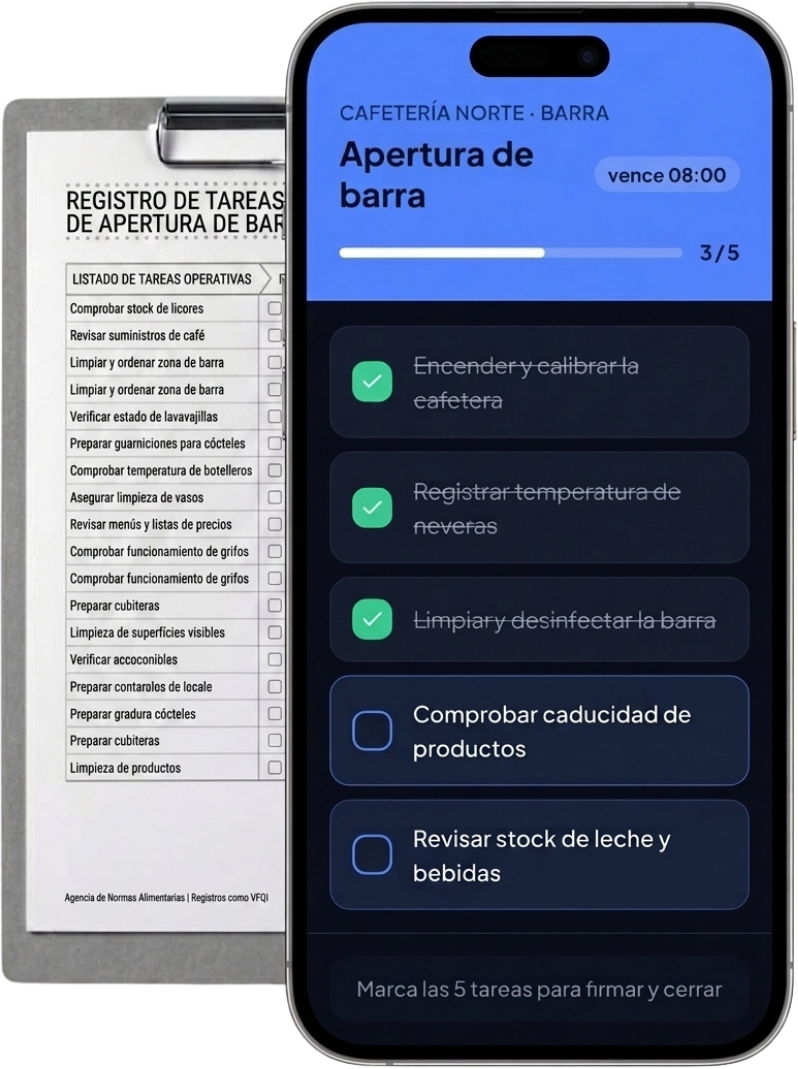
Burger restaurant · Kitchen

Opening the burger restaurant

due 12:00
3 / 8
  • Turn on the griddle and check it reaches temperature
  • Record cold room and freezer temperatures
  • Filter the fryer oil and check its condition
  • Mise en place: vegetables, sauces, portioning meat
  • Restock buns, delivery packaging and consumables
Tick all 8 tasks to sign and close
Features

Everything your burger restaurant needs, paperless

We handle the pace of the griddle, fryer and delivery with clear tasks and instant signatures.

Guided opening and closing

Each shift sees exactly what to do: griddle start-up, mise en place, initial temperatures and full closing. Not a single step gets skipped.

Signed temperature and cleaning logs

The record of cold room temperatures and meat doneness is dated and signed with PIN. It serves as documentary backup during an inspection, although Timlup does not certify or endorse.

PIN access in the kitchen

Each employee has their personal PIN. They log in from the kitchen tablet without installing anything, see only their shift tasks and sign upon completion.

Smart recurring tasks

Set the exact frequency: daily oil filtering, oil change twice a week, weekly hood and filter cleaning. Timlup activates them automatically when due.

Templates per site

If you have more than one burger restaurant, create a template for each and manage everything from a single dashboard. Tasks adapt to the size and team of each location.

Tablet or mobile, nothing to install

Works from the browser, on any device. Reuse old tablets or kitchen mobiles, and start working in minutes, with no training.

In the kitchen

A day in a burger restaurant, in pictures

From opening to closing: every task gets signed off from the tablet.

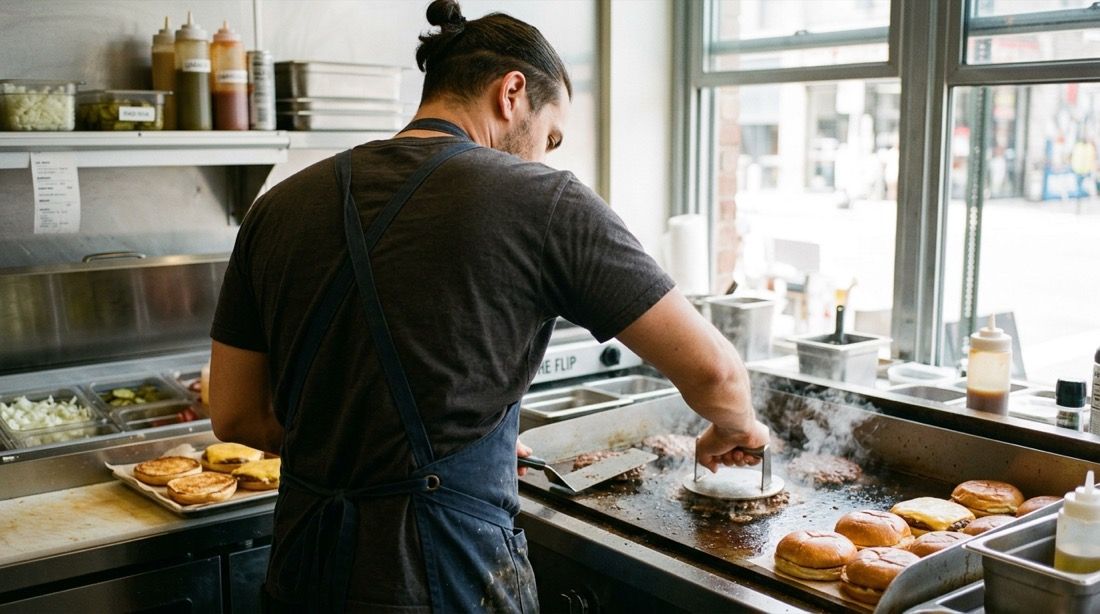
Chef from behind making smash burgers on the griddle
Griddle scraping and temperature are recorded and signed with PIN, without interrupting service.
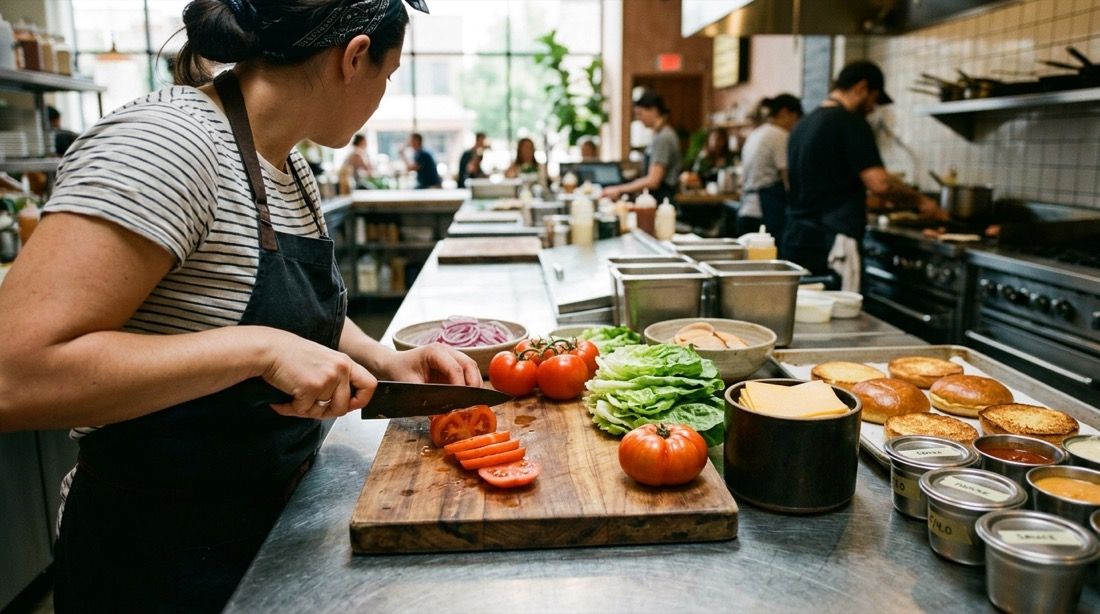
Mise en place with fresh ingredients in the kitchen
Mise en place and restocking become recurring lists that are always up to date.
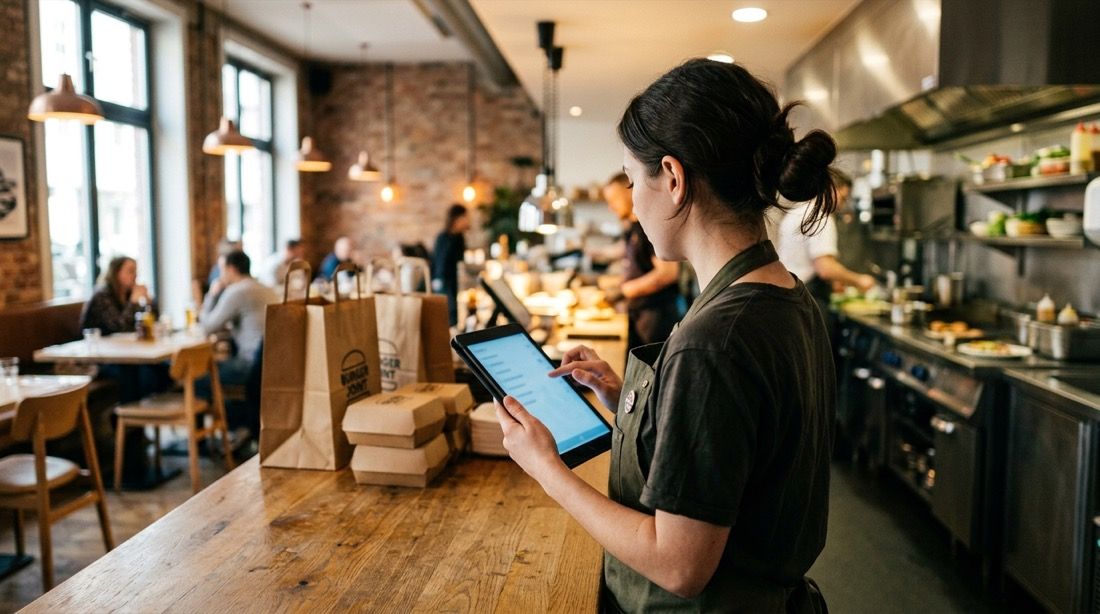
Employee at the counter with a tablet ticking off tasks
The shift signs off their tasks from the tablet, and the owner oversees everything remotely, with no papers or doubts.
How it works

Your burger restaurant digitised in one afternoon

Create the lists once and let the team execute them by shift with a simple PIN.

1

Create your master lists

Define the opening, griddle and fryer, temperature checks and closing tasks. Choose the frequency of each and assign them to the corresponding shift. If you have several sites, duplicate the template.

2

The team completes them by shift

Each employee logs in with their PIN from the browser, sees only their tasks and ticks them off. If they need to add a photo of the griddle or oil, they can do it instantly.

3

You review the day from home

No calls or WhatsApp. The dashboard shows you a traffic-light summary: green if all done, amber if tasks missing, red if there are incidents. And you know who did each step, with exact date and time.

What they say

Burger restaurants that ditched paper

Owners and managers who no longer chase kitchen sheets or call to check if they closed properly.

Carlos Garcia

Carlos Garcia

Owner · Craft burger restaurant (London)

“With Timlup I know every day if the oil has been filtered and the griddle is clean. Even from home I see the photos the team leaves at closing. Before I used to get calls late at night; now I check my mobile in a minute.”


Marta Jimenez

Marta Jimenez

Manager · Smash burger bar (Bristol)

“We have a lot of delivery and closing was chaos: half-done tasks and nobody remembered the meat temperature. Now each shift signs with their PIN, and traceability is total. Even the shift handover feels more orderly.”

David Torres

David Torres

Operations lead · Burger chain (3 sites)

“With three sites, coordinating fryer cleaning and meat doneness was a mess. With Timlup I created a template and adapted it to each kitchen. I see the history of all from a single dashboard, and the team has adopted it without problems.”

Carlos Garcia

Carlos Garcia

Owner · Craft burger restaurant (London)

“With Timlup I know every day if the oil has been filtered and the griddle is clean. Even from home I see the photos the team leaves at closing. Before I used to get calls late at night; now I check my mobile in a minute.”

Marta Jimenez

Marta Jimenez

Manager · Smash burger bar (Bristol)

“We have a lot of delivery and closing was chaos: half-done tasks and nobody remembered the meat temperature. Now each shift signs with their PIN, and traceability is total. Even the shift handover feels more orderly.”

David Torres

David Torres

Operations lead · Burger chain (3 sites)

“With three sites, coordinating fryer cleaning and meat doneness was a mess. With Timlup I created a template and adapted it to each kitchen. I see the history of all from a single dashboard, and the team has adopted it without problems.”

Carlos Garcia

Carlos Garcia

Owner · Craft burger restaurant (London)

“With Timlup I know every day if the oil has been filtered and the griddle is clean. Even from home I see the photos the team leaves at closing. Before I used to get calls late at night; now I check my mobile in a minute.”

Marta Jimenez

Marta Jimenez

Manager · Smash burger bar (Bristol)

“We have a lot of delivery and closing was chaos: half-done tasks and nobody remembered the meat temperature. Now each shift signs with their PIN, and traceability is total. Even the shift handover feels more orderly.”

David Torres

David Torres

Operations lead · Burger chain (3 sites)

“With three sites, coordinating fryer cleaning and meat doneness was a mess. With Timlup I created a template and adapted it to each kitchen. I see the history of all from a single dashboard, and the team has adopted it without problems.”

FAQ

Common questions from burger restaurant owners and managers

Straight answers about managing your kitchen's repetitive tasks without relying on paper.

How do I log griddle cleaning and fryer oil changes?
You can set up a recurring cleaning list that includes griddle scraping, daily filtering and oil changing at the frequency you decide (e.g., change every two or three days). Each employee signs with their PIN when completing each task, and optionally can attach a photo of the fryer or griddle condition. Everything is recorded in an unalterable history, with exact date and time, so you know who did it and when.
Does it work for temperature logs and food safety self-control?
Yes, Timlup is an excellent tool as documentary backup for your daily checks. Temperature records for cold rooms, freezers, meat doneness or any other log are automatically signed and dated. However, Timlup does not certify or endorse; the responsibility for your food safety self-control plan remains yours and you must comply with the requirements set by the health authority. Timlup records can be very useful during an inspection, but they do not by themselves guarantee you will pass it.
Does Timlup handle orders, the POS or delivery platforms?
No, Timlup is not a POS system, it does not manage takeaway or delivery orders, nor does it connect with platforms like Deliveroo or Uber Eats. Its function is the operational layer of recurring tasks: cleaning, temperatures, mise en place or closing. It is designed to coexist with your till system and your sales platforms, without interfering. We recommend using Timlup for the kitchen operational side and your POS or apps for the commercial side.
How do I control minced meat doneness?
You can include checking meat doneness as a recurring task within the service checklist. In the task description you can add the reference parameter: 'Check internal temperature of minced meat: must reach ≥71 °C in the centre (never serve rare), according to AESAN'. The cook who performs that check signs with their PIN, and it gets recorded. That gives you traceability that the check has been done every shift.
Does it work for multiple sites or a franchise?
Yes. You can create a single dashboard and within it manage the history of each site separately. Task templates can be duplicated and adapted to the specifics of each burger restaurant, and the owner or operations manager supervises all sites from one place. It is especially useful for chains or franchises that want to standardise processes without sacrificing individual control.
Do I need to install an app or buy tablets?
You don't need to install any app. Timlup works from any web browser on a mobile, tablet or computer. You can reuse old tablets you have in the kitchen or the employees' own phones. You just share the link and each one logs in with their personal PIN. The start-up is immediate and without technical barriers.
How much does it cost and can I start for free?
Timlup offers a free plan forever, with no credit card needed. You can start using it today with all the basic features, and if later you need more capacity, there are paid plans. In one afternoon you set up the lists for your burger restaurant and the team gets to work with no fuss.
John Guerrero
Editor

John Guerrero

Founder of Timlup · Founder of ChefBusiness

15+ years working on business operations and process digitisation. Behind Timlup, ChefBusiness and AI Chef Pro. These guides capture the daily-control procedures I see working in operations-heavy businesses across Spain.

Dig deeper

Guides for burger restaurants we're publishing

Specific content to help you master every area of your kitchen without paper.

Opening and closing · coming soon

How to digitise the set-up and full closing, from switching on the griddle to the alarm.

Griddle and fryer cleaning · coming soon

Griddle scraping, daily oil filtering and scheduled changes to extend the life of your equipment.

Temperature control · coming soon

Logging of cold rooms, freezer and minced meat doneness, complying with AESAN guidelines.

Goods-in and defrosting · coming soon

Receipt of fresh meat, date checking and defrosting always in the cold room (0-4 °C), never at room temperature.

Delivery and takeaway · coming soon

Packaging area, cleaning between orders and delivery times under control, all signed during the shift.

Start with your burger restaurant today

No card. Free plan forever.