Pub temperature control, without the paperwork
Log fridge, bottle cooler, freezer and hot-holding checks from your bar tablet. Timlup helps you document what matters, PIN-signed and time-stamped.
Record opening and closing temps in seconds Probe-placement guidance built into each task PIN-signed, time-stamped logs for your records
What does temperature control in a pub actually involve?
Running a safe pub isn't just about pouring the perfect pint—it's about keeping every bit of food and drink at the right temperature. Under the FSA's Safer Food Better Business (SFBB) guidelines, you need to control three critical temperatures. Your chilled storage and display units—like bottle coolers, prep fridges, and tapas displays—must stay at ≤5 °C, with a legal maximum of 8 °C. Freezers must run at ≤ −18 °C. And if you serve hot food, any hot-holding unit (a bain-marie, hot cupboard, or soup kettle) must keep food at ≥63 °C. The key detail many pubs miss: you have to probe a real food item, not just the air. Air temperature can be completely different from the actual food temperature, and that's what an Environmental Health Officer will check. So always slip the probe into a bottle, a dish of olives, or a hot pie—whatever represents what your customers will consume.
How often? At a minimum, once a day, but the smarter habit is at opening and again at closing. A two-readings-a-day routine gives you a much clearer picture—you'll spot a fridge that's struggling in the afternoon heat or a hot-hold unit that dips after a busy service. A brief tolerance of around 2–3 °C can be noted for minor blips, but you should never let a unit sit near the legal limit without fixing it. Place the probe tip into the thickest part of a food item, wipe it clean between uses, and calibrate it regularly—an ice-water bath check is simple and shows you're keeping your kit accurate. Consistency is what matters, and having a clear, daily log shows you're in control.
That's where Timlup steps in honestly. It's not a certification body and it won't wave a magic wand to make you inspection-ready—only your team's good habits can do that. What Timlup does is give you a daily temperature-control checklist that pops up on your bar tablet, prompting you to record fridge, freezer, and hot-hold readings without hunting for paper. Every entry gets a PIN-signature, time-stamped so you know exactly who did what and when. The system keeps a tidy, searchable digital history and can send a reminder if a log is missed, so nothing falls through the cracks. It helps you document whatever you choose to record in an orderly way—nothing more, nothing less.
Bar temperature control, logged
Food display, bottle coolers and freezer in range, signed at opening and closing.
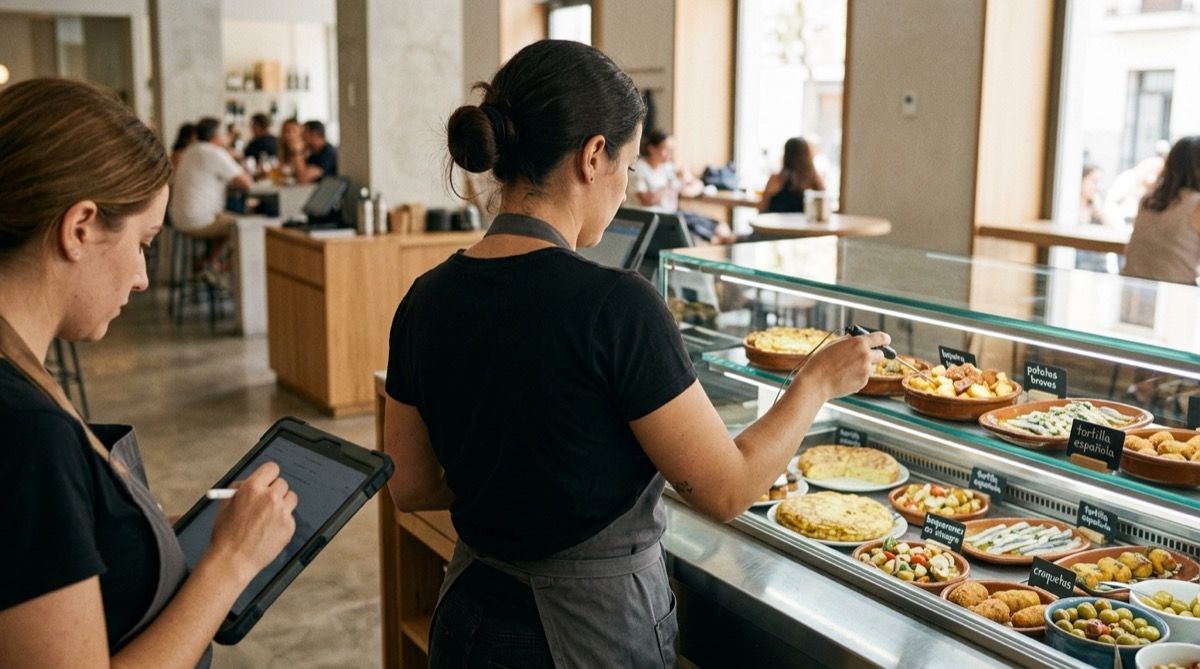
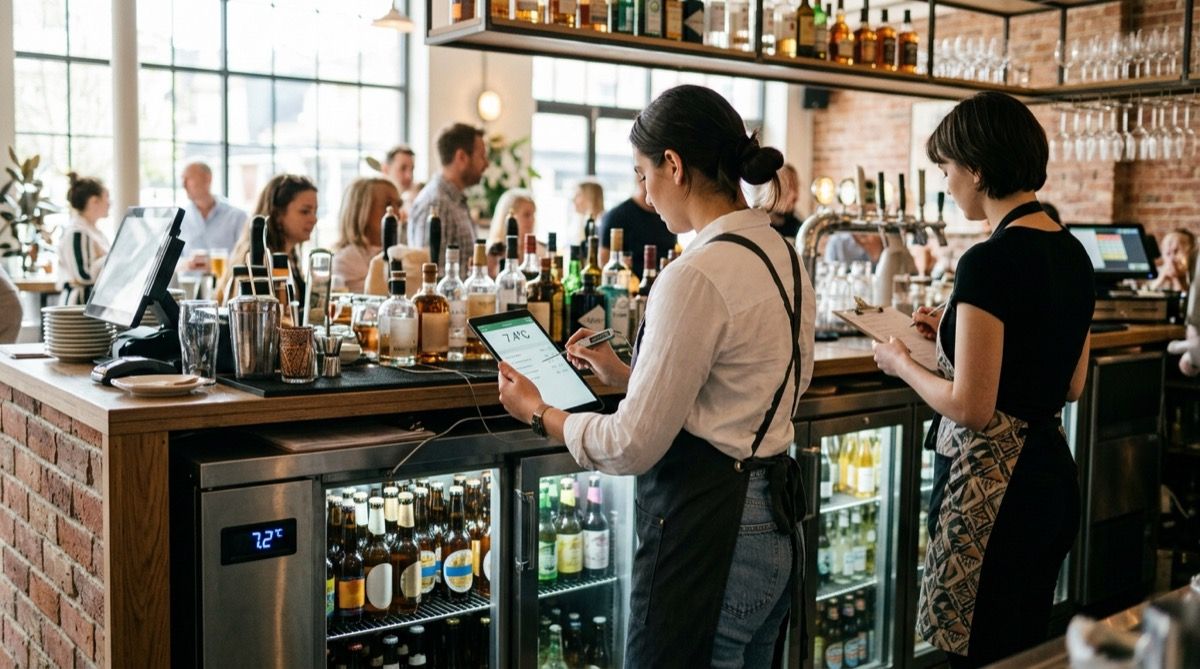
A pub's temperature control points, by time of day
Total estimated time 8-12 min a day across deliveries, opening, service and closing. Ranges per FSA / Safer Food Better Business guidance. Temperature-logging tasks are marked.
Deliveries / goods-in
2-3 min — only on delivery days, before anything is put away- 1 Check and log the temperature of chilled goods on arrival (≤5 °C, legal max 8 °C); reject or log an issue if it arrives warm 1 min
- 2 Check and log the temperature of frozen goods on arrival (≤−18 °C, no signs of thawing) 1 min
- 3 Put each item straight into its bottle cooler, chiller or freezer 1 min
Opening
4 min — first log of the day, before service- 1 Check and log the chilled snack/tapas display (≤5 °C); probe a real food item at the maximum load line, not just the air 1 min
- 2 Check and log the bottle coolers and drinks chiller (≤5 °C) 1 min
- 3 Check and log the ice/product freezer (≤−18 °C) 1 min
- 4 Verify the probe works and is calibrated (ice-water check); log any issues (frost, poorly sealed doors, noise) 1 min
Service / peak hours
2-3 min — recommended check on busy days- 1 Log the hot-holding unit (bain-marie/hot cupboard) at ≥63 °C if hot food is kept on show 1 min
- 2 Re-check the chilled display after repeated door openings (≤5 °C; brief ~2-3 °C tolerance if it recovers fast) 1 min
- 3 Visually confirm no perishable food is left out of cold equipment during service 1 min
Closing
4 min — second log of the day, confirms the cold held all shift- 1 Check and log the closing chilled display temperature (≤5 °C) 1 min
- 2 Check and log the closing bottle cooler and chiller temperature (≤5 °C) 1 min
- 3 Check and log the closing freezer temperature (≤−18 °C) 1 min
- 4 Label and chill any opened toppings, sauces and snacks with the date; log the temperature 1 min
- 5 If any unit went out of range during the day, log the incident and the corrective action taken (move product, fitness check, call technician) 1 min
Your daily checklist, right on the tablet
The team completes and PIN-signs each check; you see it all from your panel.
The Corner Pub · Bar
Opening — Temperatures
due 12:00- Chilled snack display ≤5 °C
- Bottle coolers ≤5 °C
- Ice freezer ≤−18 °C
- Hot-holding (bain-marie) ≥63 °C
- Probe calibrated (ice-water check)
Three ways Timlup helps with temperature logging
Without ever pretending to be a compliance tool.
Recurring checklists appear on the bar tablet
Each day your temperature-control tasks automatically pop up on the tablet you already use behind the bar. No need to print forms or search for a clipboard—the checklist is there, ready to go, so your team can record readings in seconds between serving customers.
PIN-signing with real accountability
Every entry is signed with a personal PIN, so you can see exactly who logged each temperature and when. That time-stamped signature builds genuine responsibility and gives you a clear audit trail, without relying on scrawled initials on a damp piece of paper.
Tidy digital history, no paper or spreadsheets
All your logs are stored in one searchable, time-stamped archive. When the EHO visits, you can pull up months of records instantly. No lost binders, no coffee-stained spreadsheets—just a clean digital record that shows you've been doing your checks day in, day out.
Your pub temperature logging questions, answered
Straightforward answers for pub owners and managers.
How often should I log temperatures in a pub?
What temperature should my chilled display and bottle coolers be?
What temperature should my freezer be?
Where should I place the probe when checking temperatures?
How long do I need to keep temperature records?
Is there an allowed tolerance above or below the target?
What should I do if a unit goes out of range?
Is a digital log better than paper?
What is a temperature control plan within a pub's HACCP/SFBB system?

John Guerrero
Founder of Timlup · Founder of ChefBusiness
15+ years working on business operations and process digitisation. Behind Timlup, ChefBusiness and AI Chef Pro. These guides capture the daily-control procedures I see working in operations-heavy businesses across Spain.
More on bars
Back to the hub or explore the other cluster types.